One Roll for Vance Davidson
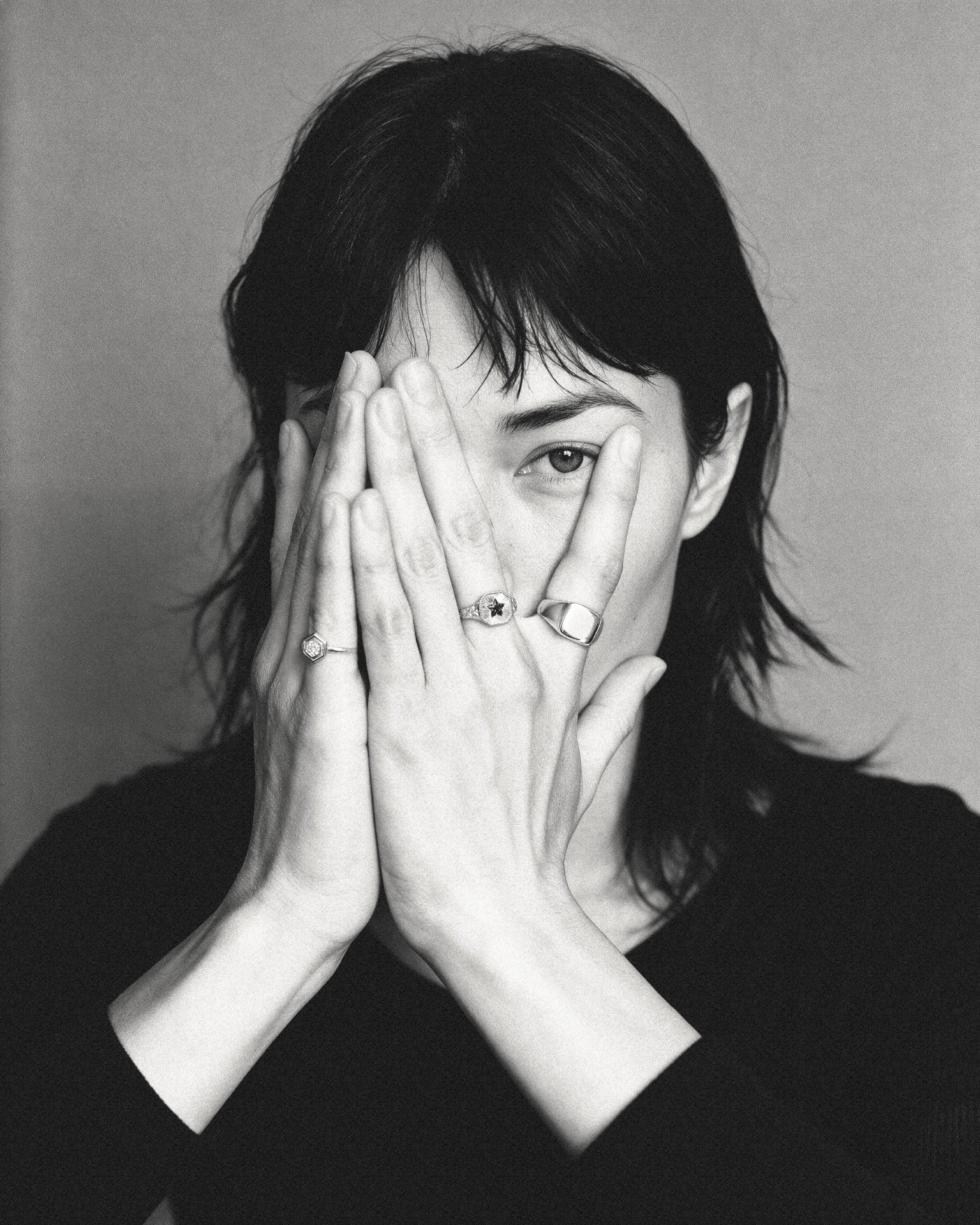
A self-initiated concept for Vance Davidson, pairing two black-and-white portraits with a short editorial video. The challenge was to preserve the jewellery’s distinctive details while creating a consistent character and photographic feel.
Format: 2 stills (4:5), 1 Reel (9:16, 13.5s)
Tools: Midjourney, FLORA (Seedream, Nano Banana, GPT Image, Magnific), HyperFrames, ElevenLabs

The starting point
I wanted a campaign that felt like editorial rather than a luxury beauty ad: a model with an unusual, undefined beauty, shot in quiet black and white. The non-negotiable was the jewellery. Vance Davidson’s pieces are hand-engraved and often one of a kind, so every stud, chain and ring had to read as the real product.
The difficulty is that AI image models are good at faces and bad at small, specific objects. They drift towards generic beauty, and they redraw jewellery a little differently every time.
The approach
1. One model per job.
Midjourney character creation by prompting not references.
Seedream kept the face and skin closest to my original Midjourney character, so it made the base portraits with bare ears and hands.
Nano Banana at 4K copied jewellery from reference photos most faithfully, so it only placed the pieces.
GPT Image followed spatial instructions best, so it handled the fiddly fixes.
2. Composite, don’t repaint.
Every AI edit quietly repaints the whole image, so repeated edits wore the face down and shifted the other pieces. I kept the Seedream face untouched and copied only the ear or the rings back in, aligned to the pixel, colour-matched and blended with a soft mask. Each fix was made once on a close crop, never stacked on earlier fixes.
3. The brand’s own photos as references.
Each piece was from the product photography on vancedavidsonjewelry.com was cropped and used in place of written descriptions. Coloured circles drawn on the image told the model which finger each ring belonged on, and all three rings came out right first time.
Development & refinement
Getting the jewellery right
The ear chain kept coming out twice too long. Its listing says about 1.5 inches at the longest point, and the brand’s photo of it worn shows the loop ending about 0.37 of the ear’s height below the studs. I drew a guide line at that height, and had the chain rebuilt to it.
Before calling it finished, I set every piece next to its product photo at full size and fixed what didn’t match:
North star studs: added the engraved ridges and a tiny centre diamond.
All gold: high-polish instead of matte.
Hexy: a smaller antique-cut diamond.
Star Siggy: a yellow-gold face and a teal sapphire.
Eli Signet: a mirror finish.
The finished work
The video
The Reel plays as one photo shoot seen through the camera’s viewfinder. The focus snaps, the shutter clicks and the flash fires, and each click freezes a new crop of the finished stills. It pushes into the north star on her ear, match-cuts to the star sapphire on her ring, and ends on a contact sheet of every frame on the roll.
Because every frame is a crop of the approved stills, the jewellery in the Reel can’t drift from them. It was built in HyperFrames. The shutter and film-advance sounds are synthesised in code, and the minimal electronic track is from ElevenLabs, chosen because its drop lands on the film-advance black frame.
What I’d do again
Separate face and product. Generate the person once, then place the product on top. Never ask one model to do both.
Use the real product photos. Cropped product shots beat written descriptions, and simple, bold pieces come out right more often than fine engraving.
Measure scale. Proportions from a photo of the real piece being worn fixed the chain when wording couldn’t.
Show the model where, don’t describe it. Coloured markers placed the rings and fixed the chain’s attachment after prompts had failed several times.
Edit at full resolution. At 1K a ring is about 30 pixels wide and can’t be accurate. Rendering at 4K and editing close crops made the details possible.
Believable beats literal.